
FloatAndPlay
A downloadable widget for Windows
English ▼
Float and Play
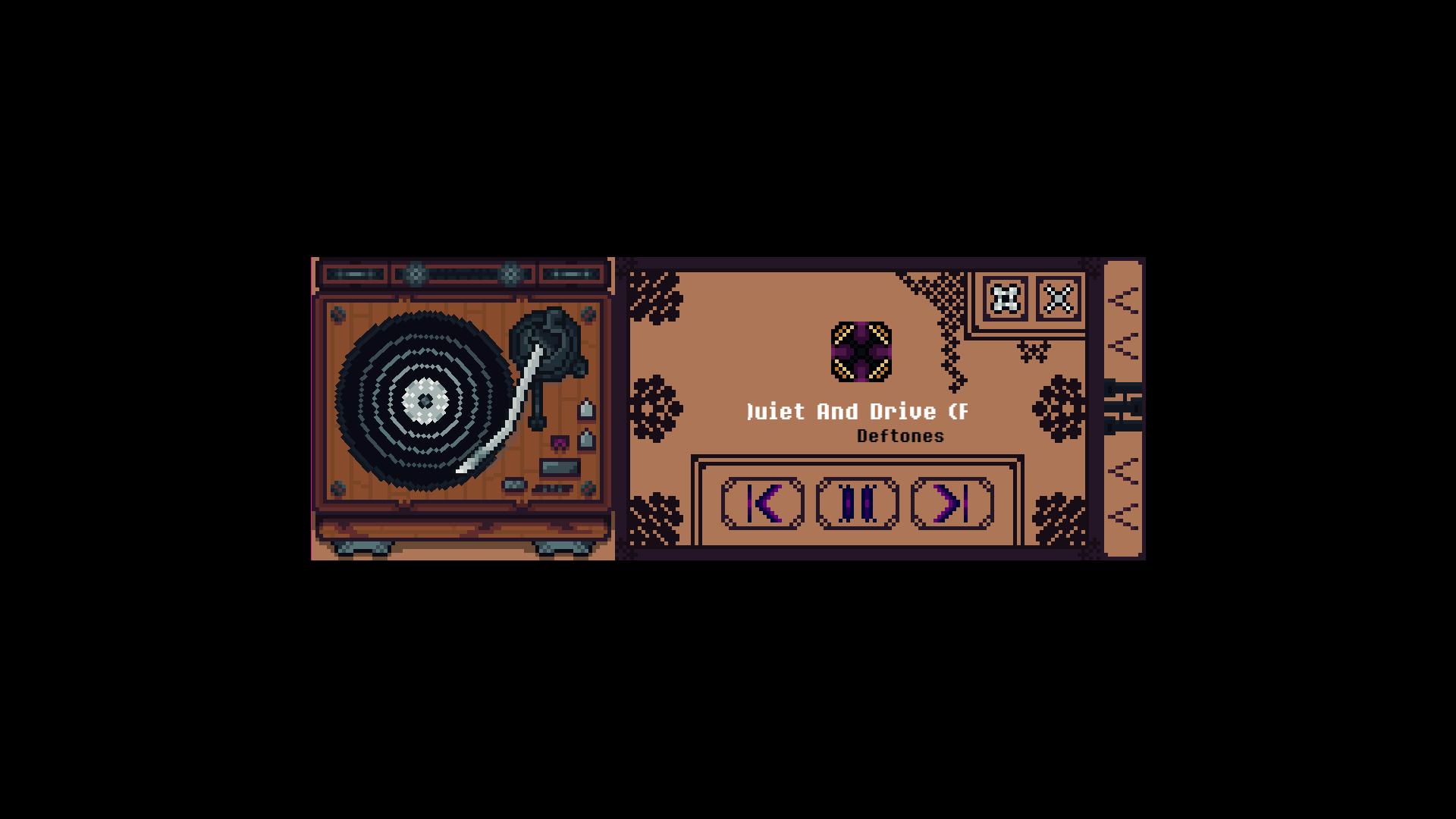
Float and Play is a small pixel art music widget for Windows.
It stays on your desktop as a cozy floating player, showing the current track, artist, playback state, and simple media controls. It connects to the Windows media session, so it can work with compatible players such as Spotify Desktop, YouTube Music, Chrome, Edge, and other apps that expose media controls to Windows.
I created this project because I use a 60% keyboard and missed having dedicated audio control buttons. Since I also enjoy drawing pixel art as a hobby, I decided to turn that idea into a small desktop widget and share it with the public.
All the pixel art used in Float and Play was drawn by me.
Features
- Floating pixel art music widget
- Always-on-top desktop window
- Previous, play/pause, and next controls
- Current track and artist display
- Animated scrolling text for long song names
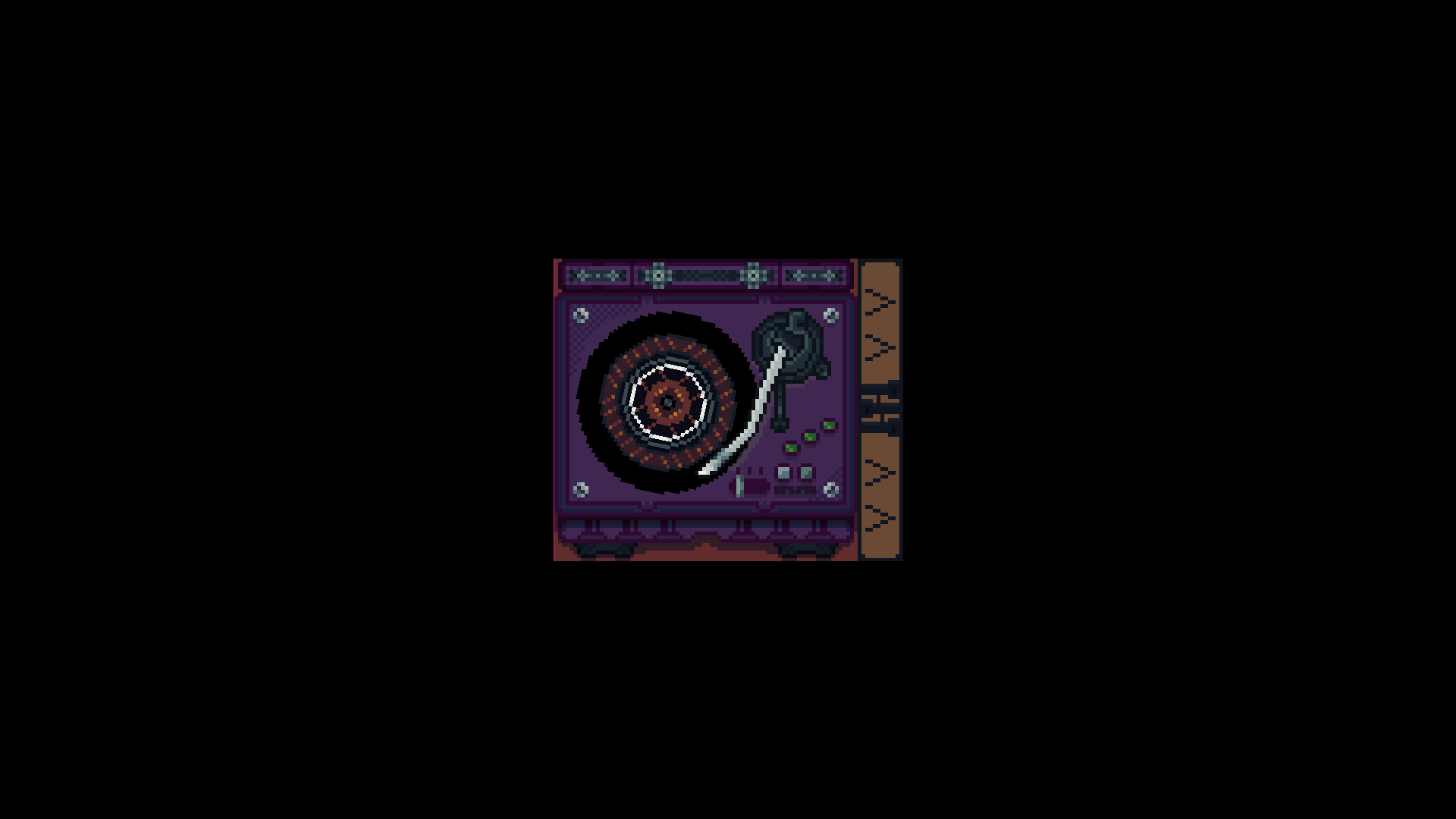
- Rotating disc animation while music is playing
- Multiple turntable, disc, needle, and theme options
- Custom font selection
- Collapsible compact mode
- System tray support
- Lightweight desktop companion for music while working, studying, or playing
How to use
Portable ZIP
- Download the Windows ZIP file.
- Extract the ZIP anywhere on your computer.
- Run Float and Play.exe.
- Start playing music in a compatible player.
- Use the widget to view and control your music.
You can also create a shortcut to the executable and place it on your desktop.
Installer
- Download the Windows installer.
- Run the setup file.
- Open Float and Play from the Start Menu or desktop shortcut.
- Start playing music in a compatible player.
Compatibility
Float and Play is currently available for:
- Windows 10
- Windows 11
The widget uses Windows media sessions. Compatibility depends on whether your music player exposes its playback information and controls to Windows.
It is designed to work with compatible media sources such as:
- Spotify Desktop
- YouTube Music in supported browsers
- Chrome / Edge media sessions
- Other Windows media-session compatible players
Early Preview Notice
This is an early version of Float and Play.
Some features may still change, and compatibility can vary depending on the media player, browser, or Windows configuration. Visual themes, customization options, and desktop behavior will continue to improve in future versions.
Windows Security Notice
Windows may show a SmartScreen or security warning when opening the app for the first time. This can happen with new independent apps that are not code-signed yet.
Only download Float and Play from this official itch.io page.
Feedback
If you test Float and Play, feedback is welcome.
Most welcome feedback includes:
- Which Windows version you are using
- Which music player you tested
- Whether the widget detected the current track correctly
- Whether the playback buttons worked
- Any visual bugs, scaling issues, or theme problems
- Favorite sprites combination
Português ▼
Float and Play
Float and Play é um pequeno widget musical em pixel art para Windows.
Ele fica na sua área de trabalho como um player flutuante e aconchegante, mostrando a música atual, artista, estado de reprodução e controles simples de mídia. O app se conecta à sessão de mídia do Windows, então pode funcionar com players compatíveis como Spotify Desktop, YouTube Music, Chrome, Edge e outros apps que expõem controles de mídia para o Windows.
Eu criei este projeto porque uso um teclado 60% e senti falta de ter botões dedicados para controlar o áudio. Como também gosto de desenhar pixel art como hobby, decidi transformar essa ideia em um pequeno widget desktop e compartilhar com o público.
Toda a pixel art usada no Float and Play foi desenhada por mim.
Recursos
- Widget musical flutuante em pixel art
- Janela desktop sempre no topo
- Controles de anterior, play/pause e próxima faixa
- Exibição da música e artista atual
- Texto animado para nomes longos de músicas
- Animação do disco girando enquanto a música toca
- Múltiplas opções de toca-discos, discos, agulhas e temas
- Seleção de fontes
- Modo compacto recolhível
- Suporte à bandeja do sistema
- Companion leve para ouvir música enquanto trabalha, estuda ou joga
Como usar
ZIP portátil
- Baixe o arquivo ZIP para Windows.
- Extraia o ZIP em qualquer lugar do computador.
- Execute Float and Play.exe.
- Comece a tocar música em um player compatível.
- Use o widget para visualizar e controlar sua música.
Você também pode criar um atalho para o executável e deixá-lo na área de trabalho.
Instalador
- Baixe o instalador para Windows.
- Execute o arquivo de instalação.
- Abra o Float and Play pelo Menu Iniciar ou pelo atalho da área de trabalho.
- Comece a tocar música em um player compatível.
Compatibilidade
Float and Play está disponível atualmente para:
- Windows 10
- Windows 11
O widget usa as sessões de mídia do Windows. A compatibilidade depende de o player de música expor suas informações de reprodução e controles para o Windows.
Ele foi pensado para funcionar com fontes de mídia compatíveis, como:
- Spotify Desktop
- YouTube Music em navegadores compatíveis
- Sessões de mídia do Chrome / Edge
- Outros players compatíveis com sessões de mídia do Windows
Aviso de versão inicial
Algumas funções ainda podem mudar, e a compatibilidade pode variar dependendo do player de mídia, navegador ou configuração do Windows. Temas visuais, opções de customização e comportamento desktop continuarão sendo melhorados em versões futuras.
Aviso de segurança do Windows
O Windows pode mostrar um aviso do SmartScreen ou de segurança ao abrir o app pela primeira vez. Isso pode acontecer com apps independentes novos que ainda não possuem assinatura de código.
Baixe o Float and Play apenas por esta página oficial no itch.io.
Feedback
Se você testar o Float and Play, feedbacks são bem-vindos.
Feedbacks bem vindos incluem:
- Qual versão do Windows você está usando
- Qual player de música você testou
- Se o widget detectou corretamente a música atual
- Se os botões de reprodução funcionaram
- Qualquer bug visual, problema de escala ou problema com temas
- Combinação favorita de sprites
Download
Click download now to get access to the following files:
Leave a comment
Log in with itch.io to leave a comment.